Openhub
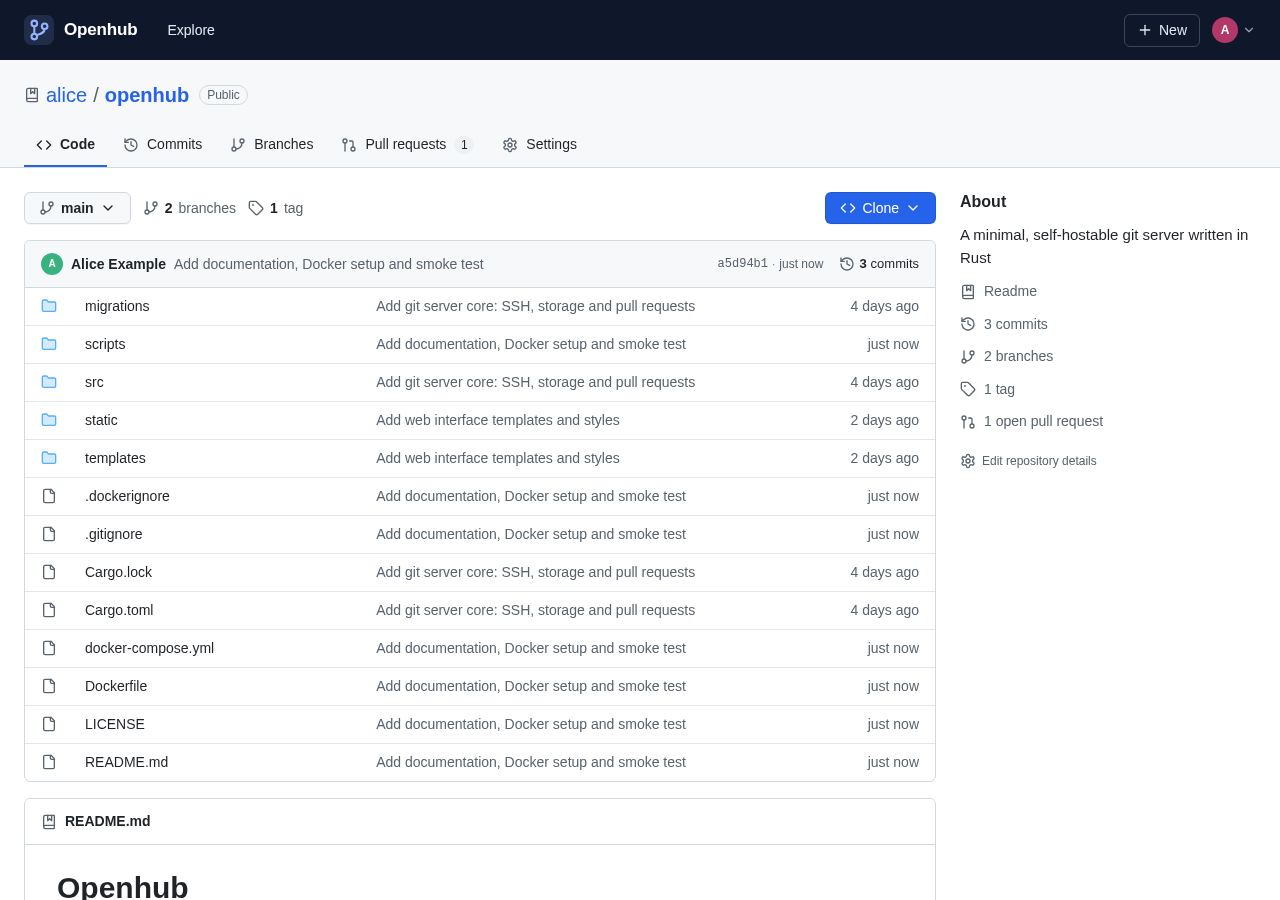
Openhub is a minimal, self-hostable git server with a familiar web interface. Push over SSH, browse code and history, and review changes with pull requests. That is the whole product: no issue tracker, no CI, no wiki.
It ships as a single Rust binary with SQLite for storage, so a whole installation is one executable plus one data directory.
Features
- Git over SSH: a built-in SSH server authenticates
git pushandgit fetchwith the public keys users add in their settings. No systemsshdconfiguration is needed. - Read-only git over HTTP: anonymous clones of public repositories, and password-authenticated clones of private ones.
- Code browsing: file trees with the latest commit for each entry, syntax-highlighted files with linkable line numbers, rendered Markdown READMEs, raw files, and ZIP/tar.gz downloads.
- History: paginated commit logs (per branch, tag or path), commit pages with diffs, branches with ahead/behind counts, and tags.
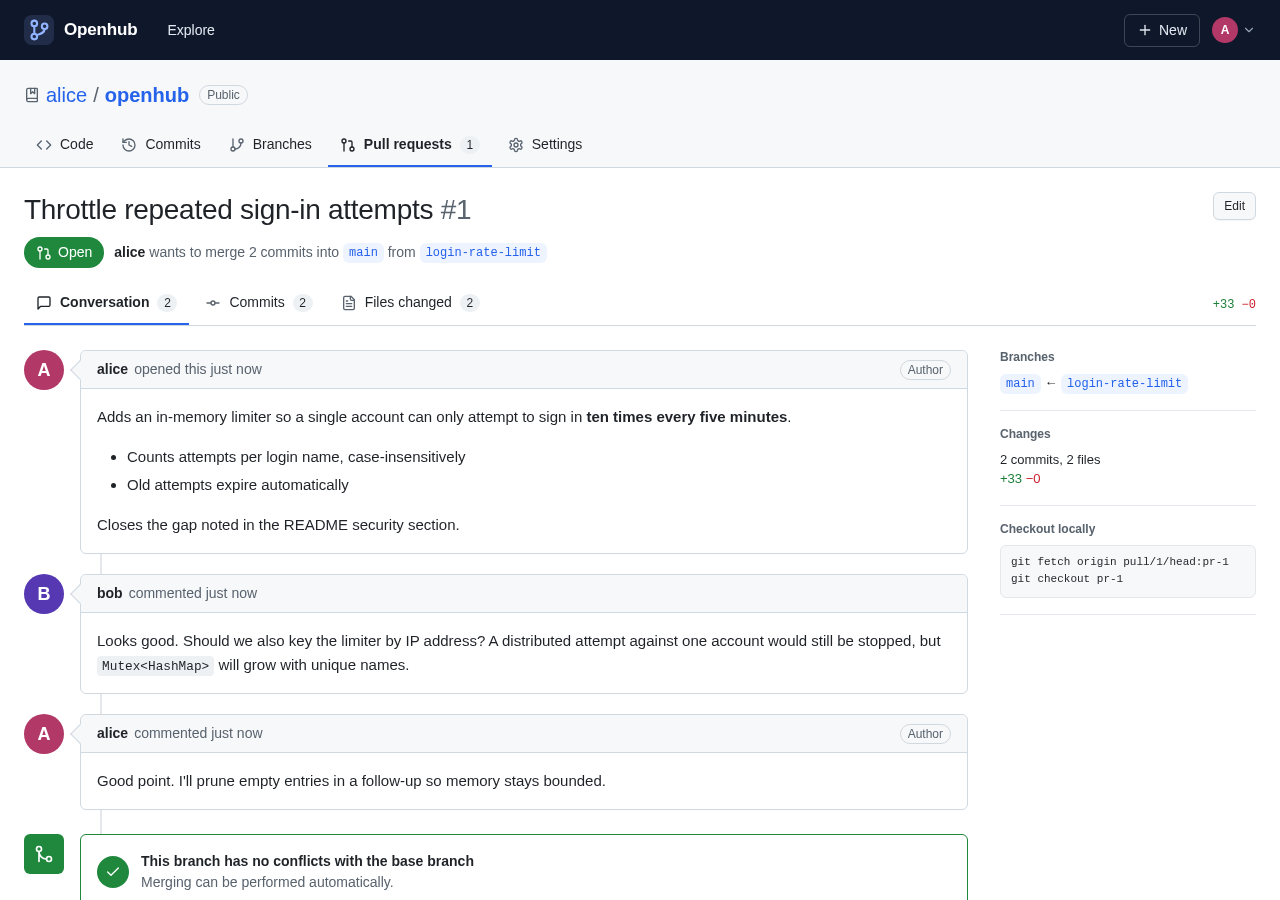
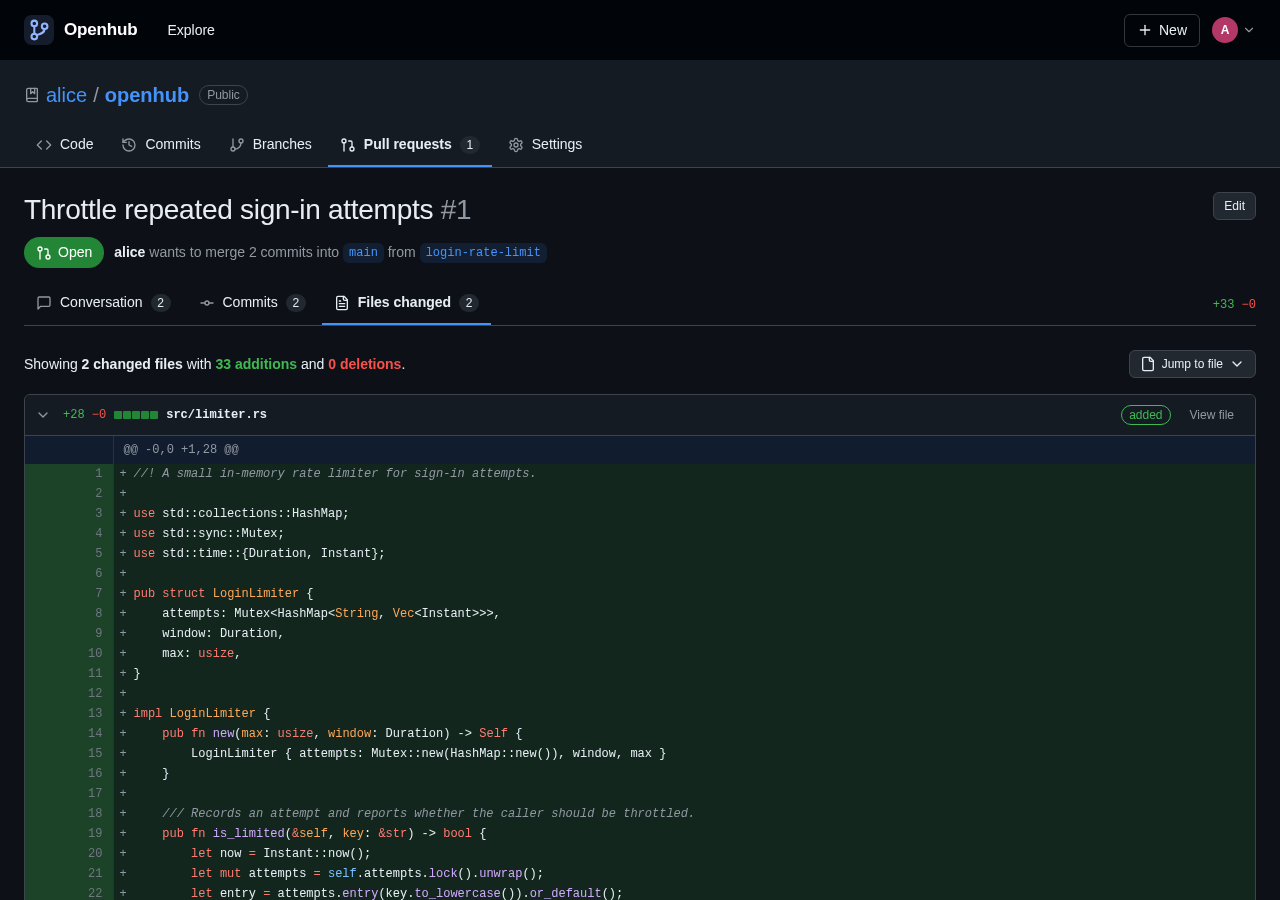
- Pull requests: compare branches, open a pull request, discuss it in Markdown comments, and review the commits and the diff. Merge with a merge commit, a squash or a rebase, then delete the branch. Pull requests merged with a plain
git pushare detected automatically. - Accounts and access: public and private repositories, plus collaborators with write access. The first account created is the site administrator.
- Comfortable to use: light and dark themes, works on phone-sized screens, and needs no JavaScript for core features.
 |
 |
Quick start
With Docker
docker compose up -dOpen http://localhost:3000 and create an account; the first account becomes the administrator. Before deploying, edit OPENHUB_PUBLIC_URL in docker-compose.yml to the URL people will use.
From source
You need Rust 1.88 or newer, a C compiler (to build the bundled libgit2 and SQLite), and git installed at runtime.
cargo build --release
./target/release/openhub --public-url http://localhost:3000
By default the web interface listens on port 3000 and the SSH server on port 2222. Everything is stored in ./data.
On a Linux server with systemd
scripts/deploy-server.sh installs Openhub on a Linux machine as a systemd service, over SSH. It copies your checkout to the machine, builds it there (installing Rust with rustup the first time) and runs packaging/linux/install.sh. The machine needs git, curl and a C compiler, and your SSH user needs sudo.
scripts/deploy-server.sh user@hostThe service runs as the openhub user, keeps its data in /var/lib/openhub, starts at boot and restarts whenever it stops. The web interface listens on 127.0.0.1:3000 for a reverse proxy or tunnel on the same machine. SSH listens on port 2222 on every interface. Put your settings in /etc/default/openhub, then run sudo systemctl restart openhub:
OPENHUB_PUBLIC_URL=https://git.example.com
OPENHUB_DISABLE_REGISTRATION=true
To upgrade, run the same command again. See Operations → Running under systemd.
Pushing your first repository
- Sign in and open Settings → SSH keys. Paste your public key, for example the contents of
~/.ssh/id_ed25519.pub. - Check that the server accepts the key:
ssh -T -p 2222 git@your-host # Hi alice! You've successfully authenticated, but Openhub does not provide shell access. - Create a repository with New, then push to it:
git remote add origin ssh://git@your-host:2222/alice/project.git
git push -u origin main
When you push a branch other than the default branch, the server prints a link for opening a pull request. Once a pull request exists, the link points to it instead.
Configuration
Each option can be set as a command-line flag or as an environment variable.
| Flag | Environment variable | Default | Description |
|---|---|---|---|
--data-dir |
OPENHUB_DATA_DIR |
./data |
Holds the database, repositories and SSH host key |
--http-addr |
OPENHUB_HTTP_ADDR |
0.0.0.0:3000 |
Listen address for the web interface |
--ssh-addr |
OPENHUB_SSH_ADDR |
0.0.0.0:2222 |
Listen address for the SSH server |
--public-url |
OPENHUB_PUBLIC_URL |
http://localhost:3000 |
External URL of the web interface, used for links and clone URLs |
--ssh-host |
OPENHUB_SSH_HOST |
host of the public URL | Host shown in SSH clone URLs |
--ssh-port |
OPENHUB_SSH_PORT |
the SSH listen port | Port shown in SSH clone URLs |
--disable-registration |
OPENHUB_DISABLE_REGISTRATION |
false |
Turns off sign-ups (the first account can still be created) |
--git-bin |
OPENHUB_GIT_BIN |
git |
Path to the git executable |
Logging is controlled with RUST_LOG, for example RUST_LOG=openhub=debug.
Deployment notes
- HTTPS: put Openhub behind a reverse proxy such as Caddy or nginx and set
OPENHUB_PUBLIC_URL=https://git.example.com. Session cookies are markedSecurewhenever the public URL uses HTTPS. SSH traffic goes straight to the SSH port, not through the proxy. - Public URL must match: form submissions are only accepted from the origin in
OPENHUB_PUBLIC_URL, or from one matching the request'sHostheader. If sign-in or other forms fail with "Cross-origin request rejected", check that the public URL matches exactly what appears in the browser's address bar, including scheme and port. - Using port 22 for SSH: forward port 22 to Openhub's SSH port (for example
"22:2222"in Docker) and setOPENHUB_SSH_PORT=22. Clone URLs then take the short form[email protected]:alice/project.git. If the host already runs its ownsshdon port 22, keep Openhub on another port. - Host key: the SSH host key is created on first start at
<data-dir>/ssh_host_ed25519_key. Keep it with your backups so clients don't get host-key warnings after a restore. - Backups: back up the whole data directory. To copy the database while the server is running, use
sqlite3 openhub.db ".backup backup.db"; otherwise stop the server first. - Registration: once everyone has an account, set
OPENHUB_DISABLE_REGISTRATION=true.
How it works
browser     ──▶  web UI (axum + askama)  ──┐
git (HTTP)  ──▶  smart HTTP, read-only   ──┼──▶  bare repositories  (libgit2 + git)
git (SSH)   ──▶  SSH server (russh)      ──┘
                         │
                         └──▶  SQLite: users, SSH keys, repositories, pull requests
- Repositories are stored as bare git repositories named by their database ID (
repos/42.git), so renaming a repository only changes the database. - Fetches and pushes run the standard
git upload-packandgit receive-pack, so protocol support (including protocol v2) matches the installed git. - After each push Openhub corrects
HEADif the default branch is missing, tracks the new tips of open pull requests, and marks pull requests whose commits reached the base branch as merged. - Each pull request's head commit is kept at
refs/pull/<n>/head, so its history survives after the branch is deleted. You can fetch it withgit fetch origin pull/<n>/head. These refs cannot be pushed to. - Web merges happen in memory with libgit2. The base branch is only updated if it hasn't moved since the merge started.
Source layout
| Path | Purpose |
|---|---|
src/main.rs |
Startup: configuration, database, web and SSH servers |
src/ssh.rs |
SSH server, key authentication, git command dispatch |
src/git.rs |
Repository access: refs, trees, history, diffs, merging |
src/sync.rs |
Post-push bookkeeping for HEAD and pull requests |
src/db.rs, migrations/ |
SQLite schema and queries |
src/web/ |
HTTP handlers: accounts, code browsing, pull requests, smart HTTP |
src/highlight.rs, src/markdown.rs |
Syntax highlighting and sanitised Markdown |
templates/, static/ |
HTML templates, stylesheet and script (compiled into the binary) |
Security
- Passwords are hashed with Argon2id. Session tokens are random, and only their SHA-256 hashes are stored.
- Cookies are
HttpOnlyandSameSite=Lax, and cross-origin form posts are rejected. - Pages are served with a strict Content-Security-Policy, and no inline scripts are used.
- Markdown (READMEs, pull requests and comments) is sanitised with
ammonia. Raw files are served with a sandboxing CSP so they can never run script on the Openhub origin. - The SSH server accepts only public-key authentication and runs only
git-upload-packandgit-receive-pack, for repositories the key's owner can access. Shell sessions are refused. - Private repositories return 404 to anyone without access.
Openhub doesn't yet rate-limit sign-in attempts. If the server is exposed to the internet, add rate limiting at your reverse proxy. docs/security.md lists the known gaps and hardening advice, including what to change before running an instance with open registration.
Development
cargo test                  # unit tests
cargo clippy --all-targets  # lints (kept warning-free)
scripts/smoke-test.sh       # end-to-end: push, browse, pull requests, merges, permissions
cargo run -- --data-dir ./data
The smoke test starts a throwaway instance on ports 38080 and 38022 (override with HTTP_PORT and SSH_PORT) and drives it with curl, ssh, ssh-keygen and git.
How the system works, including the architecture, data model, permissions, git transport, pull request tracking, security model and operations, is documented in docs/. Coding conventions and known pitfalls for contributors are in CLAUDE.md, with template-specific notes in templates/CLAUDE.md.
Out of scope
Openhub deliberately covers only git hosting. It has no issues, CI, wikis, releases, forks, organisations or line-level review comments.
License
MIT. See LICENSE.
Icons are from Lucide (ISC License). Syntax definitions come from syntect and two-face.